

Sagar Club App Download
Android · iPhone · about 3 MB
The Sagar Club app is a small download (about 3 MB) that keeps you logged in and opens the lobby in one tap.
Sagar Club works in any browser, but the app is quicker: it remembers your login, loads the lobby faster and sends notifications for gift codes and login alerts. This page covers both Android and iPhone, plus the problems people hit during install.
Only download from the official website or the link posted on the official Telegram channel. If a site asks you to pay for the app, it’s fake.
Contents
Sagar Club app details
| Size | About 3 MB |
| Android | Direct download (APK) from the official site |
| iPhone | Add to Home Screen from Safari – no App Store needed |
| Login | Same account and password as the website |
| Updates | Prompted inside the app – see app update |
| Price | Free |
Download the Sagar Club app on Android
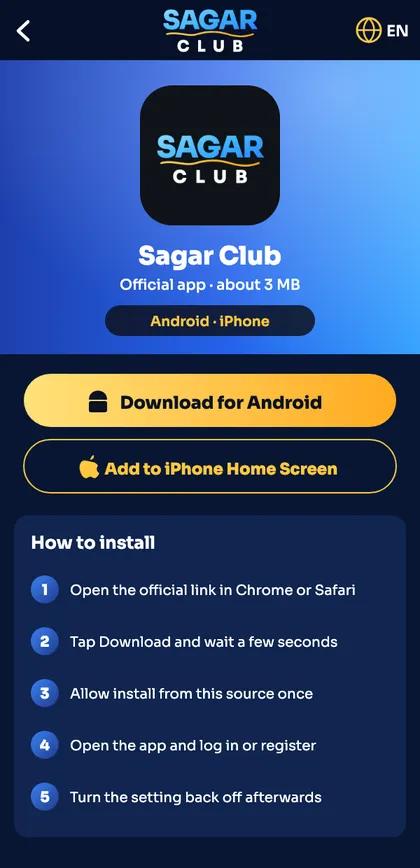
- Open the official Sagar Club website in Chrome.
- Tap Download for Android. The file is about 3 MB.
- When Chrome warns about the file type, tap Download anyway.
- Open the file. If Android asks, allow Install unknown apps for Chrome – just this once.
- Tap Install, then Open. Log in or register.
- Go back to Settings and switch Install unknown apps off again.
Need more detail on the APK file itself? Read the Sagar Club APK guide.
Install Sagar Club on iPhone
On iPhone the app is added from Safari as a home-screen app. It behaves like a normal app – full screen, its own icon – but there is nothing to download from the App Store. Full steps with screenshots-style instructions are on the Sagar Club iOS page.
- Open the official Sagar Club site in Safari (not Chrome).
- Tap the Share button at the bottom.
- Choose Add to Home Screen and tap Add.
- Open Sagar Club from the new icon and log in.
App vs website: which should you use?
| App | Website | |
|---|---|---|
| Speed | Faster – loads from the phone | Depends on the browser |
| Stays logged in | Yes | Only if cookies are kept |
| Notifications | Yes | No |
| Storage | About 3 MB | None |
| Works on PC | No | Yes |
Our blog post app vs website login goes deeper into which is safer on a shared phone.
Install problems and fixes
“App not installed”
An older copy is on the phone. Uninstall it first, then install the new file.
“Blocked by Play Protect”
Tap More details → Install anyway. This appears for any app not from the Play Store.
Download stops at 0%
Low storage or a weak connection. Free up 100 MB and try on Wi-Fi.
Icon missing on iPhone
You used Chrome. Repeat the steps in Safari.
Storage and data use
The Sagar Club app itself is about 3 MB, but games load images and sounds as you open them, so expect it to use more space over time – usually well under 100 MB. On mobile data, a typical session of lottery rounds uses little data; slots and live games use more because of graphics and video.
Notifications after install
The first time you open the app it may ask to send notifications. Allow them if you want login alerts and gift code reminders – you can fine-tune them later in notifications.
Uninstalling the Sagar Club app
Uninstalling removes the app from your phone but does not delete your account. You can reinstall any time and log in again. To close the account itself, see delete account.
App download checklist
- Downloaded from the official site (not a forward or YouTube link).
- File is about 3 MB.
- Install from unknown apps switched back off afterwards.
- Only one Sagar Club icon on the phone.
- Logged in and alerts turned on.
Ready to open Sagar Club?
Use the official app or website. One Sagar Club account works for login on every device.
Frequently asked questions
Is the Sagar Club app on the Play Store?
No. Android users download it from the official website.
How big is the Sagar Club app?
About 3 MB.
Do I need a new account for the app?
No – log in with your existing number and password.
Is the iPhone version safe?
Yes. It’s a Safari home-screen app and doesn’t need any profile or certificate. Never install a ‘profile’ to get any app.