

Sagar Club Login OTP Problem Solved
6 causes, 6 fixes
When the Sagar Club OTP doesn’t arrive, it’s almost always one of these six things.
Sagar Club login itself doesn’t need an OTP – but registering and resetting a password do. When that code doesn’t come, people assume the account is broken. It usually isn’t.
Here are the six real causes we see, in order of how common they are.
The six causes
1. DND or spam filter
Check the spam/blocked folder in Messages; temporarily allow service SMS.
2. Wrong SIM
Dual-SIM phones: set SMS to the registered SIM.
3. Number typo
One wrong digit sends the code to someone else. Retype it.
4. Resend too early
Wait for the full timer.
5. Too many requests
After several codes, wait ~30 minutes.
6. Weak network
Move to better signal or restart the phone.
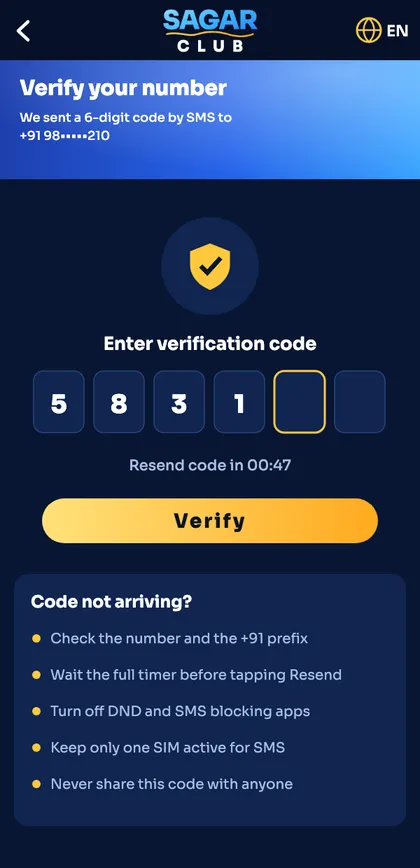
Never forward your OTP to anyone. If someone asks for it, they want your account.
Full checklist: Sagar Club OTP not received. Still stuck? Customer care.
OTP myths
“Support can send the OTP to another number”
False – codes go only to your registered number.
“Pressing Resend faster helps”
False – it can cancel the first code.
“You need the OTP for every login”
False – only for register and reset.
Ready to open Sagar Club?
Use the official app or website. One Sagar Club account works for login on every device.
Frequently asked questions
Does Sagar Club send OTP on WhatsApp?
The standard flow is SMS.
Why do I get an OTP I didn’t request?
Someone may be trying your number – change your password.