

Sagar Club Login on Two Phones
Sessions explained
You can log in to Sagar Club on more than one device – but a new login can end the old one. Here’s why.
Players with two phones (or a phone and a laptop) often find Sagar Club logging them out. That’s a security feature, not a bug.
Here’s how sessions work and how to switch devices cleanly.
Contents
How sessions work
Each logged-in device is a session. To protect accounts, Sagar Club may limit active sessions – so logging in on phone B can sign out phone A. You’ll see ‘session expired’ on the first phone.
Switching phones
- Log out on the old phone (Account → Log out).
- Log in on the new phone.
- Check login alerts in notifications.
Getting logged out without switching?
If you didn’t log in elsewhere but keep seeing ‘session expired’, someone else may have your password. Change it now.
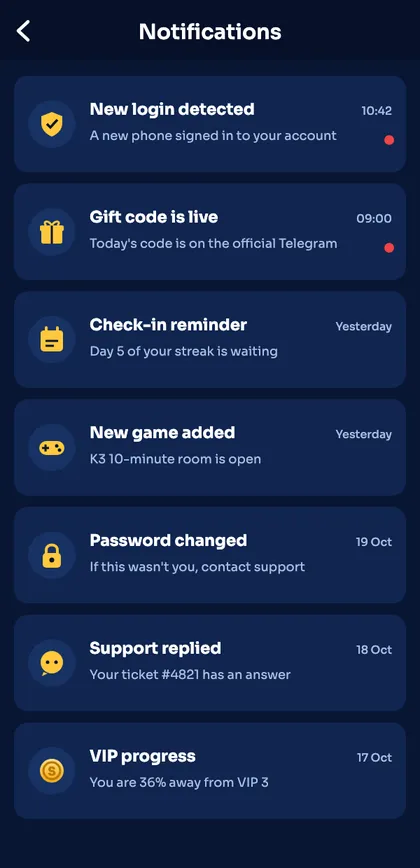
Login alerts like this one show every new device.
Family members
If two people in the family both want to play, each should register their own account with their own number. Sharing one account causes constant logouts and is against the rules.
Ready to open Sagar Club?
Use the official app or website. One Sagar Club account works for login on every device.
Frequently asked questions
Can two people share one Sagar Club account?
No – accounts are personal.