

Sagar Club Notifications
Alerts that protect your account
Sagar Club can alert you about new logins, gift codes, check-in reminders and support replies. Here’s which ones matter.
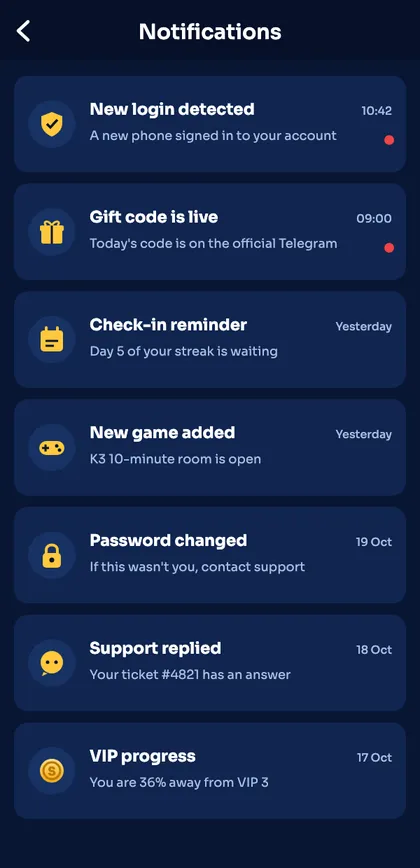
Sagar Club notifications live in the app’s message centre and, if you allow them, on your phone’s lock screen. The most important one is the login alert – it tells you if a new device signs in.
Turn on what helps and mute the rest.
Contents
Notification types
| Alert | Advice | Type |
|---|---|---|
| New login | Turn on | Security |
| Password changed | Turn on | Security |
| Gift code live | Optional | Rewards |
| Check-in reminder | Optional | Rewards |
| Support replied | Turn on | Help |
Not getting notifications?
Android
Settings → Apps → Sagar Club → Notifications → Allow. Also turn off battery optimisation for the app.
iPhone
Web-app notifications need iOS 16.4+ and must be allowed when the app asks.
Nothing in the app
Check Account → Notifications toggles.
What a login alert looks like
A login alert says something like ‘New login detected – a new phone signed in to your account’ with the time. If it was you, ignore it. If not, change your password immediately and check account security.
Quiet hours
Most phones let you schedule Do Not Disturb. Security alerts will still be waiting in the app’s message centre when you turn it off.
Ready to open Sagar Club?
Use the official app or website. One Sagar Club account works for login on every device.
Frequently asked questions
Can I turn off promotional notifications?
Yes – keep security alerts on and mute the rest.